One throw, two screens.
A guest texts a keyword, gets a link, and their phone joins the kiosk iPad over a WebSocket. They flick a lasso off the phone and the iPad plays one of six pre-shot clips, so the throw reads as one continuous motion across both screens.
Recognized with an industry award for its use of WebSockets.
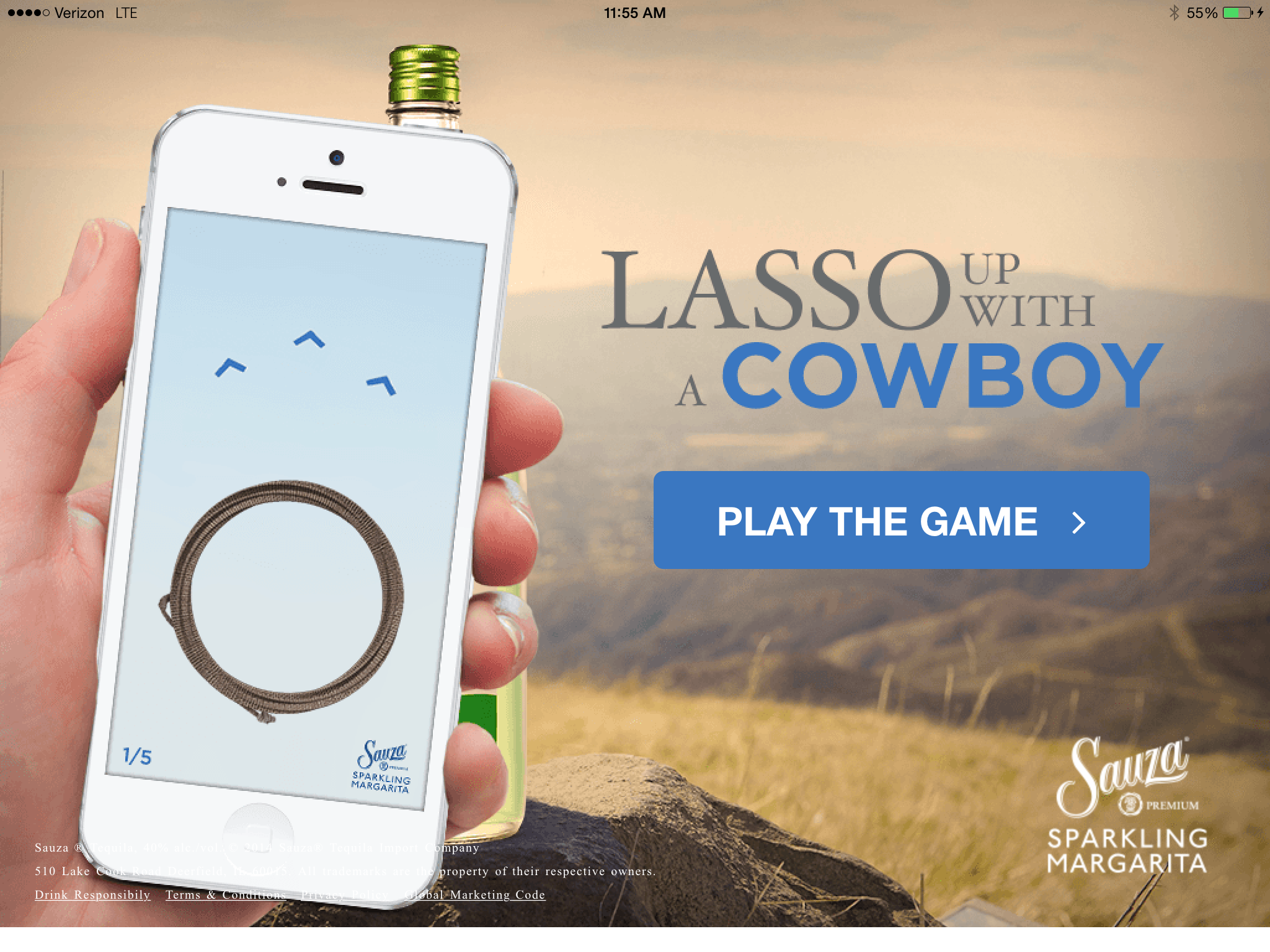
Your phone is the lasso. The iPad is the ranch.
Sauza wanted an in-store moment for Sparkling Margarita that people would stop for. The kiosk iPad ran the show, and the guest’s own phone became the controller: no app to install, just a text and a link. Each guest got five throws at a bottle on a fence post.
As creative tech lead, I designed the interaction and the system behind it, and led a team of front-end developers and graphic designers through the build.
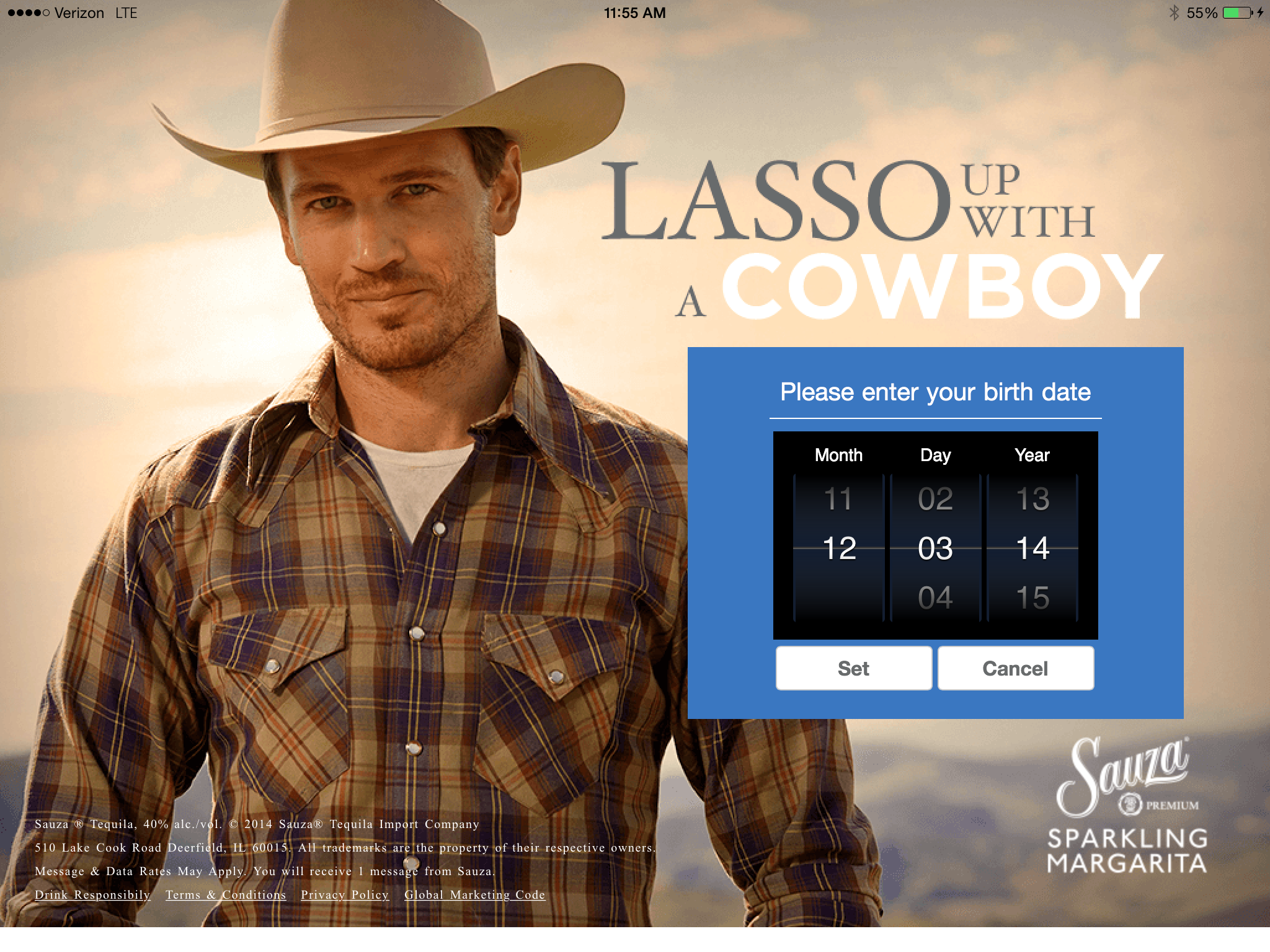
Eight steps, two devices.
I wireframed the phone and the iPad together, one step per page, with the socket messages between them. It kept design and development looking at the same thing.
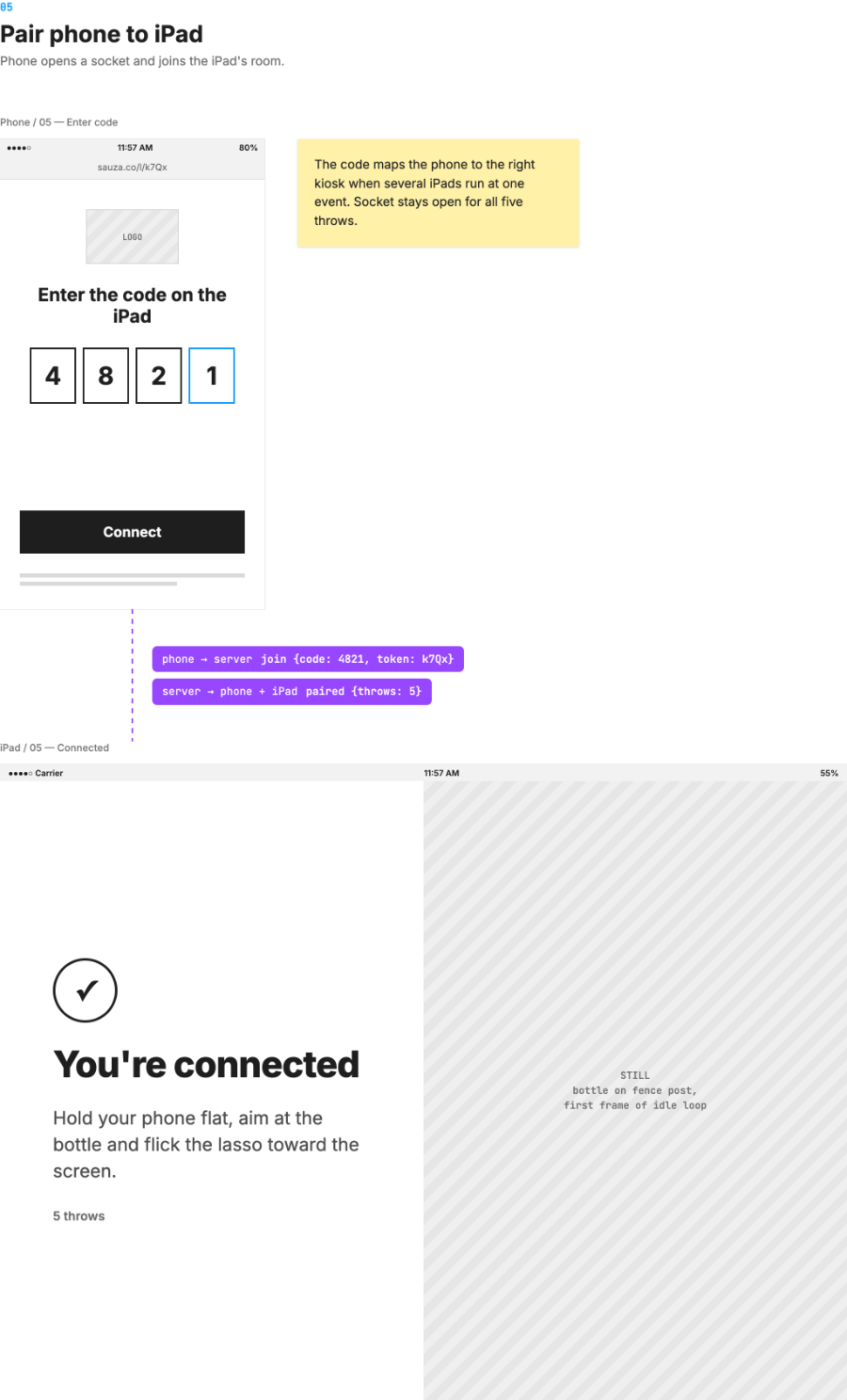
A text, a link, a four-digit code.
The guest texts LASSO, taps the link that comes back, and enters the code shown on the iPad. The phone opens a socket and joins that iPad’s room.
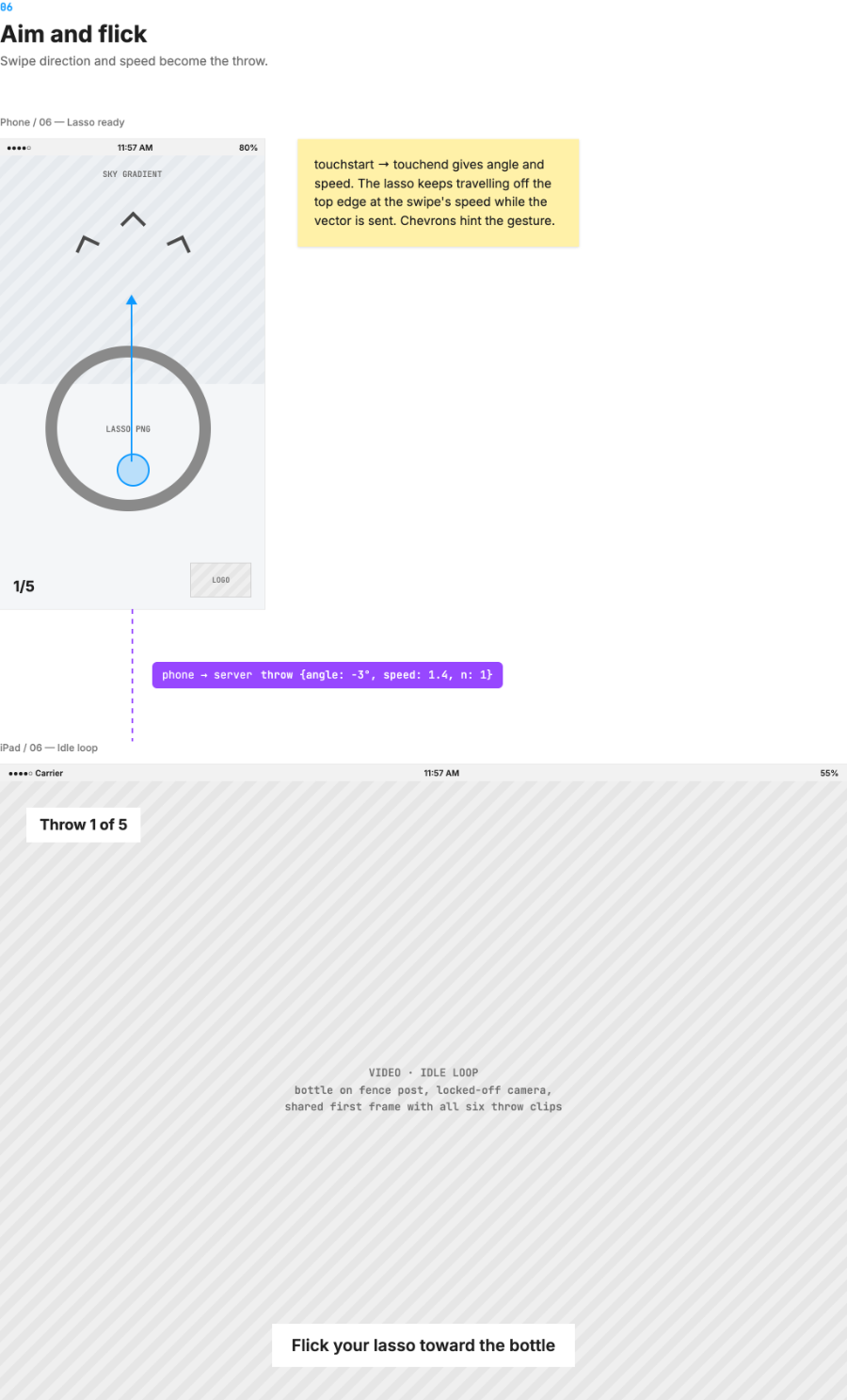
Swipe direction and speed become the throw.
Touchstart to touchend gives an angle and a speed. The lasso keeps travelling off the top of the phone at the swipe’s speed while that vector goes to the server. The server picks a clip, and the iPad, with all six preloaded, starts playing as the lasso clears the phone.
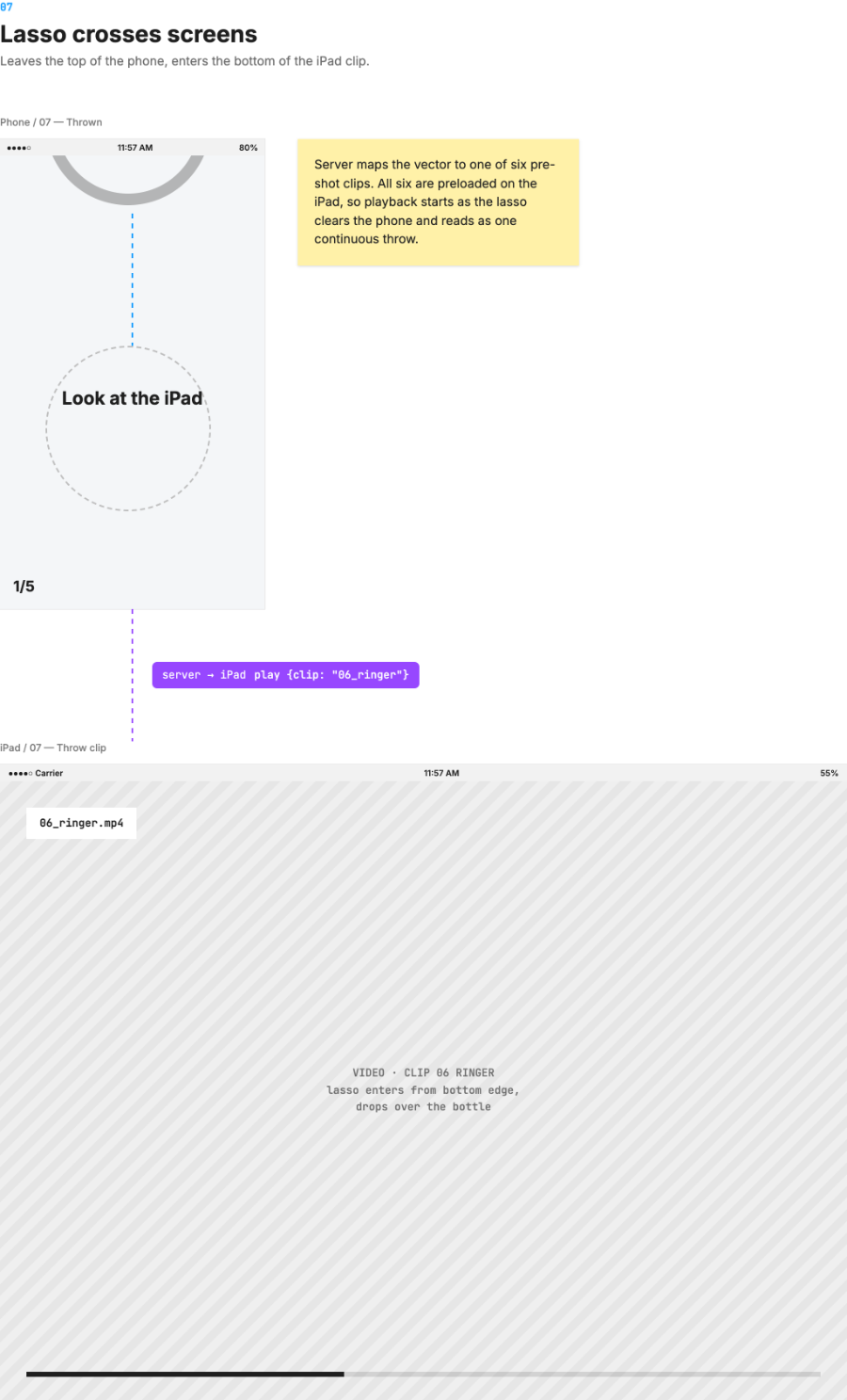
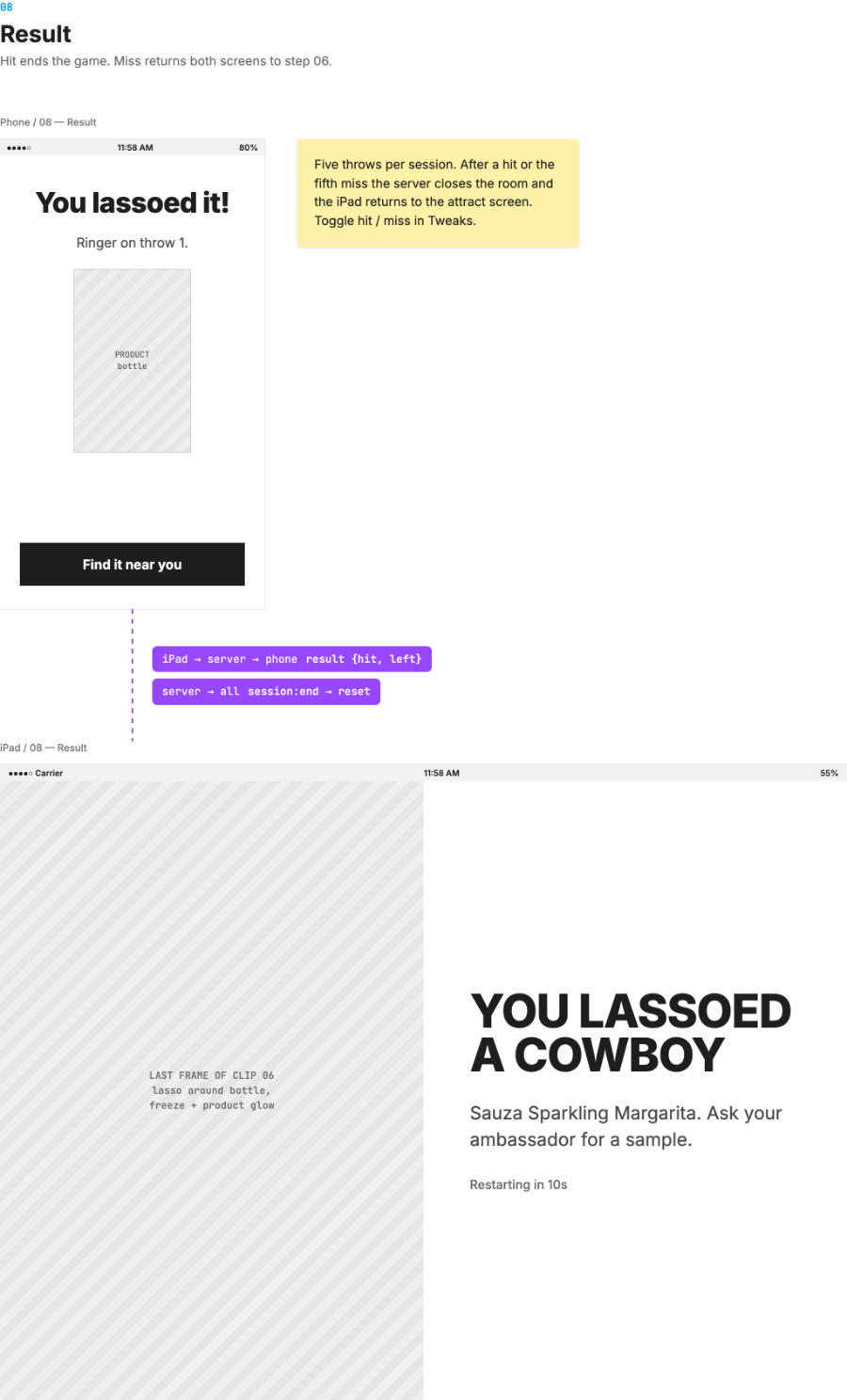
Four messages carry the whole game.
The phone and the iPad never talk directly. A small WebSocket server pairs them, turns each throw into a clip, and tells the iPad what to play.
Six pre-shot throws, one seamless cut.
The throws are pre-shot video. Every clip starts on the idle loop’s frame from a locked-off camera, and the lasso always enters from the bottom edge, where the phone sits. That shared frame is what makes the handoff invisible.
Award-winning use of WebSockets.
The project won a prestigious award for using WebSockets, then bleeding-edge technology, to make a lasso leave one screen and land on another. The effect was the point, and it worked.
The technology disappears into the gesture.
Guests never saw a socket, a room code lookup or a clip table. They saw a lasso leave their hand and land on a bottle. Designing the phone and iPad as one screen, and the system as part of the interaction, is what made that possible.